Missed calls become lost jobs
AI answers, captures intent, collects details, and alerts the right human before the lead goes cold.
AI automation + managed systems support
DreamProtocol builds AI front desks, voice agents, workflow automations, cloud projects, and managed support for businesses that want faster response times, less manual work, and cleaner operations.
Built for Bay Area and Northern California businesses that need AI workflows connected to real operations — not another disconnected chatbot.
The real bottleneck
Missed calls, slow follow-ups, manual admin, disconnected inboxes, messy calendars, stale CRM records, and unsupported phone workflows quietly leak revenue every week. DreamProtocol builds AI workflows that connect the first customer touchpoint to the next real business action.
AI answers, captures intent, collects details, and alerts the right human before the lead goes cold.
Automate repetitive intake, follow-up, notes, reminders, routing, and status updates.
Connect calls, texts, forms, email, CRM, calendars, phones, cloud tools, and help desk workflows.
DreamProtocol monitors, tunes, improves, and supports the AI workflows and systems we deploy.
AI front desk demo
This sample call shows how DreamProtocol captures intent, checks escalation rules, collects details, prepares the handoff, and keeps a human in control where needed.
Real MP3 demo sample
More workflows can be built for home services, clinics, professional services, hospitality, internal support, and admin operations.
Call intent
Appointment request identified and routed as a front-desk intake workflow.Safety screen
Emergency symptoms checked before collecting appointment details.Patient details
Name, date of birth, preferred timing, visit reason, and callback number captured.Staff handoff
Request prepared for the clinic team to review and confirm availability.AI call summary
Existing patient requested an appointment for sore throat and congestion. No emergency symptoms reported. Prefers tomorrow morning.CRM note
Appointment request captured by AI front desk. Patient details, reason for visit, preferred timing, and callback number ready for staff review.Follow-up draft
Thanks for calling. We captured your appointment request and sent it to the office team for confirmation.Internal team alert
Clinic appointment request needs staff confirmation. AI did not provide medical advice, diagnosis, or treatment instructions.The DreamProtocol stack
Most AI tools stop at the conversation. DreamProtocol connects the conversation to your actual business systems — phone, email, calendar, CRM, cloud tools, users, and support workflows.
Never lose a good lead because nobody answered. DreamProtocol builds AI voice agents that answer, qualify, summarize, route, and follow up — with human approval where it matters.
Turn repetitive business processes into connected workflows. We automate the handoffs between calls, forms, email, CRM, calendars, tickets, approvals, and team notifications.
AI only works when the systems behind it are clean. We help configure the phone, email, calendar, cloud, user access, CRM, and help desk foundation your automation depends on.
We do not hand off automation and disappear. DreamProtocol monitors, supports, improves, and expands the AI workflows and business systems we deploy.
Workflow systems
DreamProtocol is not just a chatbot. It connects AI workflows into the systems your team already uses: phones, inboxes, calendars, CRM records, forms, help desk tools, Microsoft 365, Google Workspace, and cloud workflows.
Response-time calculator
Most businesses do not have a lead problem. They have a response-time problem. Estimate how much revenue could be at risk when calls, texts, forms, or follow-ups wait too long.
Formula: monthly calls × missed/delayed percent × close rate × average job value.
Opportunities missed / month
40
Monthly revenue at risk
$6,000
Annual revenue at risk
$72,000
Estimate only. Actual results depend on call quality, close rate, workflow design, and implementation.
Bay Area SMBs
Capture urgent calls, qualify service requests, route dispatch details, and send ETA updates.
Best first workflow: after-hours emergency intake.
Automates call summary, dispatch notes, SMS draft, and escalation to the on-call human.
Handle scheduling, intake follow-up, reminders, and no-show reduction workflows with human review where needed.
Best first workflow: appointment request and reminder flow.
Automates reminders and intake follow-up while escalating sensitive or clinical questions.
Qualify new inquiries, summarize calls, route consultation requests, and keep intake moving.
Best first workflow: new consultation intake.
Automates summaries, routing notes, and follow-up drafts for staff approval.
Answer guest questions, route requests, and reduce front-desk overload during busy periods.
Best first workflow: guest request triage.
Automates request capture, team notifications, and escalation when a guest needs human help.
Route employee requests, access issues, onboarding steps, service tickets, and recurring admin tasks without losing context.
Best first workflow: employee request intake and ticket routing.
Automates request capture, user details, priority, ticket notes, and escalation to the right human.
Connected workflow
Whether the request starts as a call, text, form, email, or ticket, DreamProtocol captures the details, understands the next step, updates the right system, and keeps your team in control.
A call, text, form, email, or ticket comes in.
AI captures the request, urgency, contact details, and next action.
The system drafts replies, creates tasks, books appointments, or updates records.
Your team can review sensitive actions before they go out.
Follow-ups, calendar updates, CRM notes, and team alerts happen automatically.
Pricing
Most teams start with one high-impact workflow, prove value, then expand into deeper automation and monthly support.
AI Front Desk Launchpad
Starting at $3.5k setup
For missed calls, after-hours answering, lead intake, appointment requests, call summaries, and follow-up.
AI Workflow Buildout
Starting at $7.5k setup
For businesses ready to connect AI into CRM, calendar, email, phone, approvals, reporting, forms, or help desk workflows.
Managed AI + Systems Support
Starting at $750/mo
Ongoing monitoring, workflow updates, AI tuning, user support, cloud/admin support, and monthly improvements.
AI-Ready IT Projects
Quoted project
Phone systems, Microsoft 365, Google Workspace, CRM cleanup, user access, shared inboxes, help desk workflows, and cloud tool cleanup.
Trust
Most AI agencies can build a chatbot. Most IT providers can fix a laptop. DreamProtocol sits in the middle: we build AI workflows that connect to your phones, email, calendar, CRM, cloud tools, users, and daily operations — then support everything after launch.
Founder-Led AI Systems
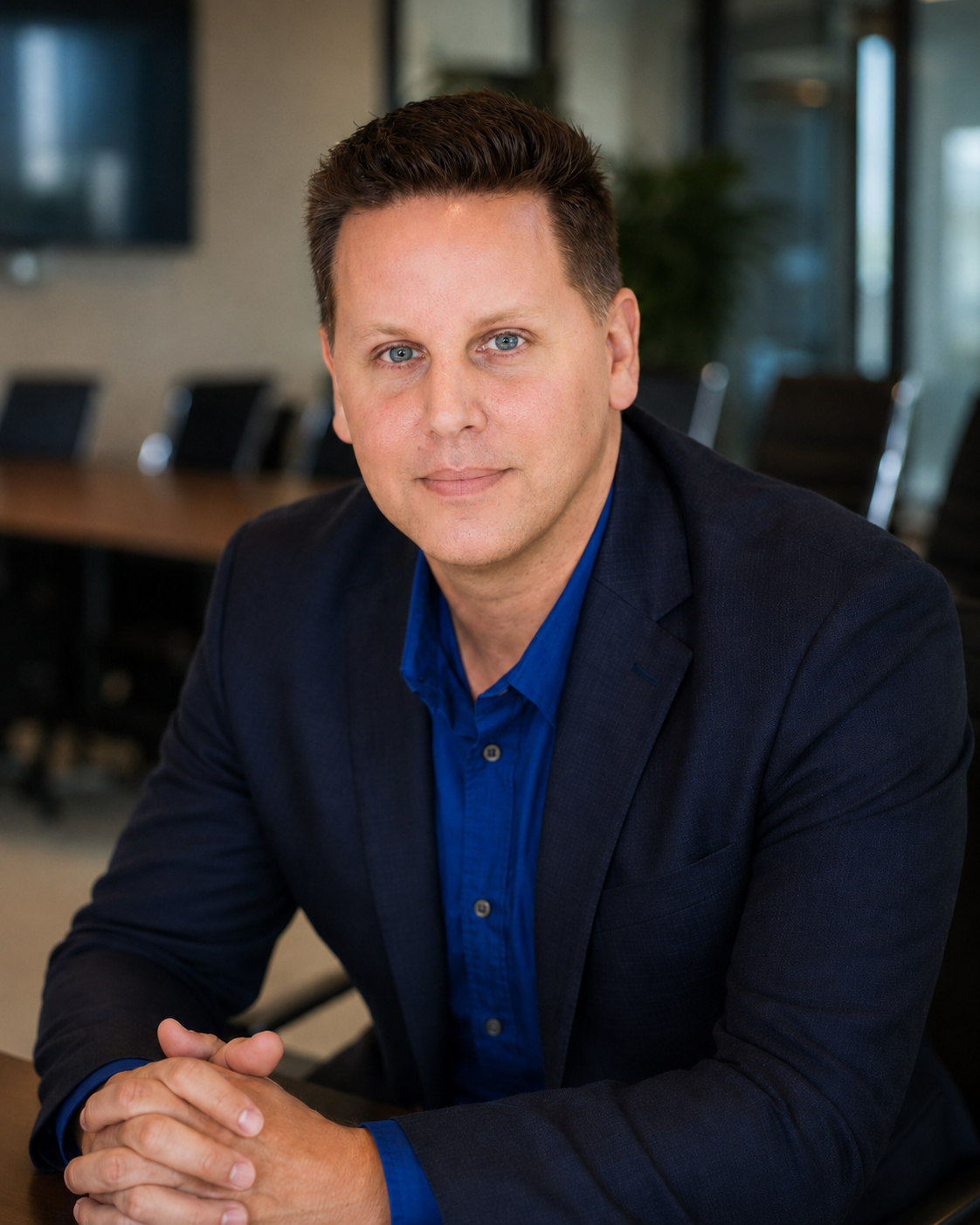
DreamProtocol.ai was founded by Dustin Poole to help business owners use AI for the work that actually slows teams down: missed calls, delayed follow-ups, disconnected systems, repetitive admin, unsupported tools, and customer requests that need a reliable next step.
Every workflow is designed around the tools, approvals, and people your team already uses, so automation feels clear, useful, and accountable instead of noisy or experimental.
FAQ
DreamProtocol builds AI front desks, voice agents, workflow automations, AI-ready IT projects, and managed support for growing businesses. We help answer calls, qualify leads, send follow-ups, update CRMs, book appointments, route requests, and reduce repetitive admin work.
No. AI call handling is often the first workflow, but DreamProtocol also connects AI into the systems behind the business: phones, texts, email, CRM records, calendars, Microsoft 365, Google Workspace, help desk workflows, approvals, and team notifications.
Yes, especially for the systems connected to the AI workflows we build. That can include phone routing, inboxes, calendars, user access, Microsoft 365, Google Workspace, CRM cleanup, help desk workflows, and cloud tools.
Businesses where response time and clean operations matter: home services, clinics, med spas, hotels, legal offices, professional services, and SMB teams with repetitive admin or support workflows.
Yes. DreamProtocol can build approval steps so your team reviews important messages, updates, bookings, or actions before they go out.
Most starter pilots are designed to launch in 2–4 weeks depending on integrations, call flows, phone setup, data access, and approval requirements.
Common systems include CRM platforms, calendars, email, Microsoft 365, Google Workspace, QuickBooks, help desk tools, phone systems, forms, inboxes, and custom workflows.
DreamProtocol is Bay Area-based and focuses on Bay Area and Northern California SMBs, but remote implementation is possible for the right business.
Book an AI Ops Audit
Answer a few quick questions and we’ll map the first AI workflow, systems cleanup, or support opportunity DreamProtocol could help with.
Let’s identify where AI can reduce missed calls, slow follow-ups, repetitive admin, disconnected tools, or support bottlenecks.